

 Blog
Hunt blog › Everyday India online
How to type in Telugu, Hindi and other Indian languages on a computer
Type Telugu, Hindi and other Indian languages on Windows or Mac without buying anything: phonetic typing, InScript layouts, switching keys and fixing boxes.
Meenakshi wanted to send her aunt in Vijayawada a long birthday message in Telugu. On her phone that was easy, but the message was long and her laptop was right there. She searched for a "Telugu typing software download", found three sites offering installers, and wasn't sure any of them were safe.
She didn't need to download anything. Windows and Mac both include keyboards for Telugu, Hindi and other Indian languages, free and built in. Once you set one up, you can type in any app: email, documents, chat and web forms.
This guide shows the two ways to type an Indian script, how to set them up on Windows and Mac, how to switch between English and your language in one keystroke, and what to do when text turns into boxes.
Two ways to type an Indian script
There are two quite different methods, and choosing the right one makes all the difference.
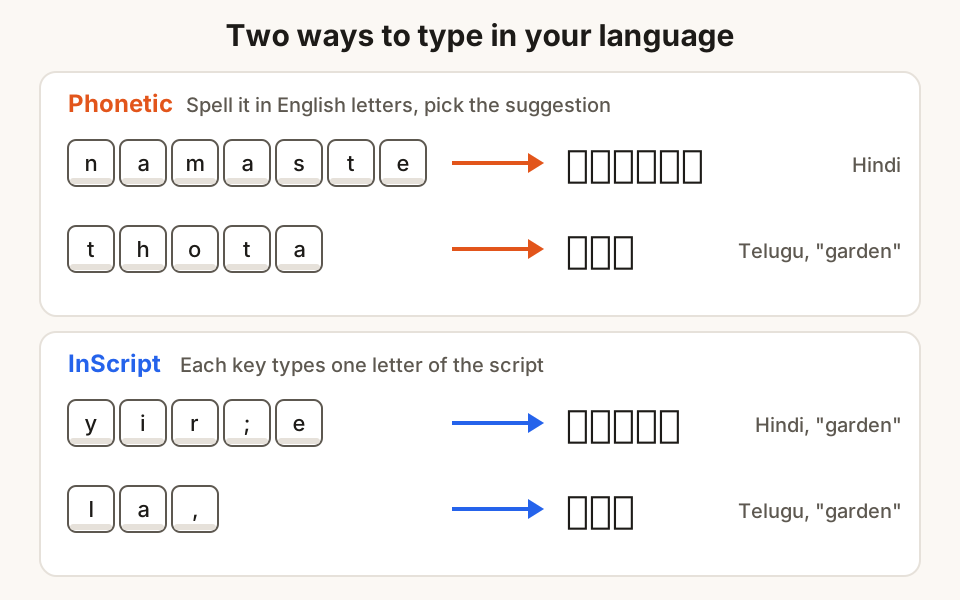
Phonetic typing (transliteration). You type the word the way it sounds, in English letters, and the computer turns it into the script. Type namaste and you get नमस्ते. Type thota and you get తోట (garden). Most people who already type English find this the easiest way to start, because there is nothing new to learn.
Script layouts (InScript). Each key on the keyboard produces a letter of the script directly. InScript is India's standard keyboard layout for Indian scripts. The Bureau of Indian Standards first published it in 1991, and the current version is IS 16350:2016, "Enhanced InScript keyboard layouts", which covers the scripts of all 22 official languages. It takes practice, but trained typists can type faster with it because there are no suggestions to pick from.
A useful thing about InScript is that it follows the shared order of the Indian scripts. Once you learn it for Hindi, largely the same key positions give you the matching letters in Telugu, Bengali, Gujarati and others.
If you are not sure which to pick: start with phonetic typing. You can always learn InScript later.
On Windows
Windows 10 and 11 include phonetic keyboards for several Indian languages, Hindi and Telugu among them. Here is how to add Telugu; the steps for Hindi, Tamil, Kannada and the others are the same.
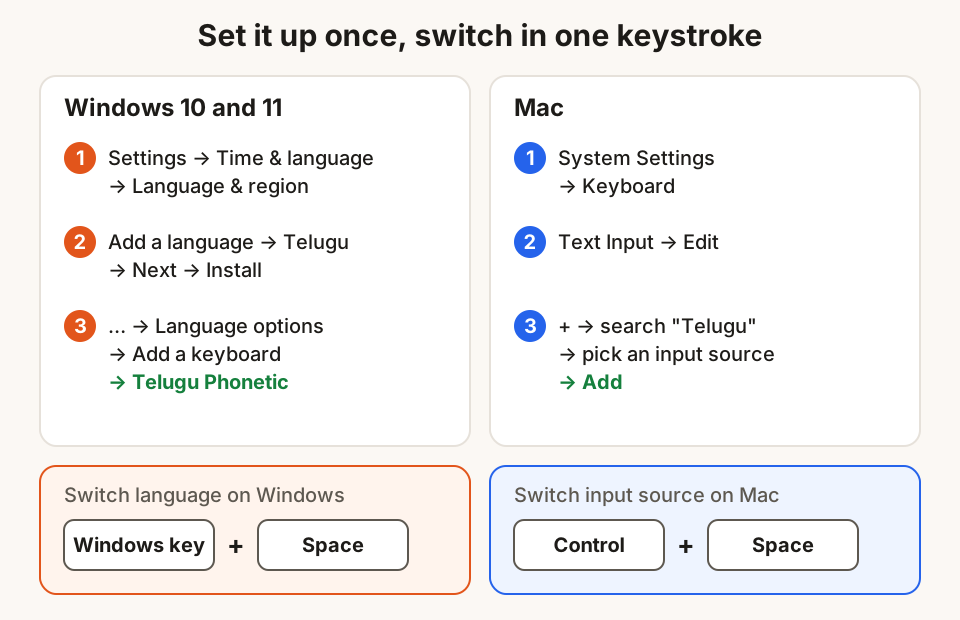
- Open Settings and go to Time & language → Language & region.
- Select Add a language, choose Telugu from the list and select Next.
- You don't need the optional language features to type in Telugu, so you can untick them to save space. Select Install.
- Telugu is added with the Telugu INSCRIPT keyboard. For phonetic typing, select the … next to Telugu → Language options → Add a keyboard → Telugu Phonetic.
For Hindi, Windows adds a keyboard called Hindi Traditional, which follows the InScript layout, and you add Hindi Phonetic in the same way.
To type:
- Press Windows key + Space to switch keyboards. The corner of the taskbar changes from ENG to తె for Telugu or हिं for Hindi.
- Type the word in English letters. Suggestions appear as you type.
- Press Enter to accept the first suggestion, or use the arrow keys to pick another.
- Press Windows key + Space again to go back to English.
On a Mac
On a Mac, keyboards for other languages are called input sources.
- Open System Settings (from the menu at the top left of the screen) → Keyboard.
- Under Text Input, click Edit.
- Click the + button, search for your language (for example Telugu or Hindi), select an input source and click Add.
- An Input menu appears in the menu bar. Choose your language there to start typing.
Some languages have more than one input source. Click each one in the list to see its keyboard layout before you add it, and choose the one that suits how you type.
To switch quickly:
- Press Control + Space to go back to the last input source you used.
- Or set the Globe (fn) key to change input source: in Keyboard settings, set "Press Globe key to" → Change Input Source.
Tips for phonetic typing
Phonetic typing guesses what you mean from English spelling, and English spelling of Indian words isn't fixed. A few habits help:
- Type as you would in a WhatsApp chat. Most tools are built around the spellings people actually use, like
bagichaorbageechafor बगीचा. - Try a different spelling if the word is wrong:
torth,dordh, a single or double vowel (ioree,uoroo) usually change the letter. - Look at the second and third suggestions before you retype. The word you want is often there.
- Switch to English for brand names, numbers and email addresses. It is quicker than fighting the suggestions.
- Proofread names carefully. A suggestion that looks right can have the wrong vowel sign, which matters on a certificate or a form.
Why your text sometimes turns into boxes
Every Indian script has its own place in Unicode, the worldwide standard for text. Devanagari, used for Hindi and Marathi, has the range U+0900 to U+097F, and Telugu has U+0C00 to U+0C7F. When you type with the methods above, you produce real Unicode text. It can be searched, copied into WhatsApp or email, and read on any modern phone or computer.
Boxes or question marks usually mean the device showing the text has no font for that script. Windows 10 and 11 include Nirmala UI, a font that covers Devanagari, Telugu, Tamil, Kannada, Malayalam, Bengali, Gujarati, Gurmukhi and Odia, so on an up-to-date Windows computer this is rare. Updating an old computer usually fixes it.
Which method should you choose?
| If you… | Choose |
|---|---|
| Type an occasional message, email or caption | Phonetic typing |
| Already know the language's spelling well and type a lot every day | InScript, after some practice |
| Are preparing for a typing test or office work in an Indian language | Ask which layout the test or office uses |
| Share a computer with family members who type in different languages | Add each language, and switch with one keystroke |
Typing in your language in Hunt Browser
If you use Hunt Browser on Windows or Mac, Type in your language is built into the Hunt button in the toolbar, with no keyboard setup. It works in 12 languages: Hindi, Bengali, Telugu, Marathi, Tamil, Urdu, Gujarati, Kannada, Odia, Malayalam, Punjabi and Assamese.
- Click the Hunt button → Type in your language, and pick a language.
- Click into any text box: a chat, an email or a form.
- Type the word in English letters, like
namaste, and press space. - Press Esc to keep a word in English. Alt+Shift+T turns typing on or off.
Email addresses, links, passwords and words with numbers are never changed, and everything happens on your computer. If you'd rather keep your current browser, the Hunt Type extension does the same job. To read an English page in your language, Hunt AI's offline translation works on your device too.
Questions
Do I need to buy or download software to type in Telugu or Hindi?
No. Windows and Mac both include keyboards for Telugu, Hindi and other Indian languages. Add them in Settings as shown above. Be careful with installers from unknown websites offering "typing software"; you don't need them.
What is the difference between phonetic typing and InScript?
With phonetic typing, you spell the word in English letters and the computer suggests the script. With InScript, each key types a letter of the script directly. Phonetic typing is easier to start with; InScript can be faster once learned.
How do I switch between English and Telugu quickly?
On Windows, press Windows key + Space. On a Mac, press Control + Space, or set the Globe key to change input source. The taskbar or menu bar shows which language is active.
Why does my Hindi text show as boxes on another computer?
That computer is missing a font for the script, or the text was typed with an old non-Unicode font. Updating the computer usually fixes the first. For the second, retype the text with a Unicode keyboard.
Can I type Indian languages on a phone too?
Yes. Most phone keyboards on Android and iPhone support Indian languages. Add the language in your keyboard settings and switch with the globe or language key.
Sources
- Telugu IME (Windows globalization documentation)
- Hindi IME (Windows globalization documentation)
- Write in another language on Mac (Mac support, India)
- Nirmala UI font family (Windows typography documentation)
- IS 16350:2016, Enhanced InScript keyboard layouts (Bureau of Indian Standards)
- Localization and language technology standards (egovstandards.gov.in)
- Telugu code chart, U+0C00–U+0C7F (Unicode)
- Devanagari code chart, U+0900–U+097F (Unicode)
Hunt Browser blocks ads and trackers before they load, and has Hunt AI built in. Free for Windows and Mac.
Keep reading
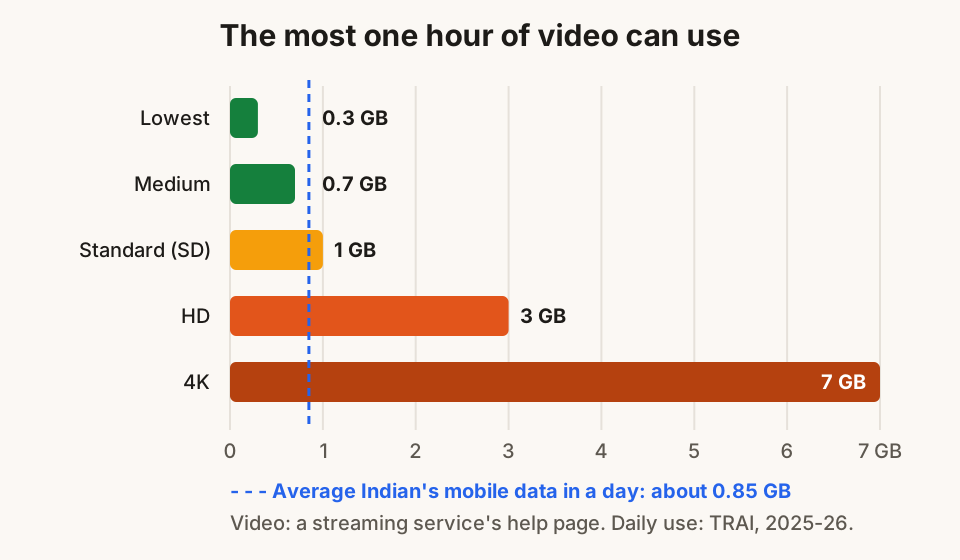
12 ways to use less mobile data while browsing
Daily data running out by evening? Twelve simple settings for Android, iPhone, WhatsApp and laptops that cut mobile data use without losing anything.
1 November 2026 · 8 min read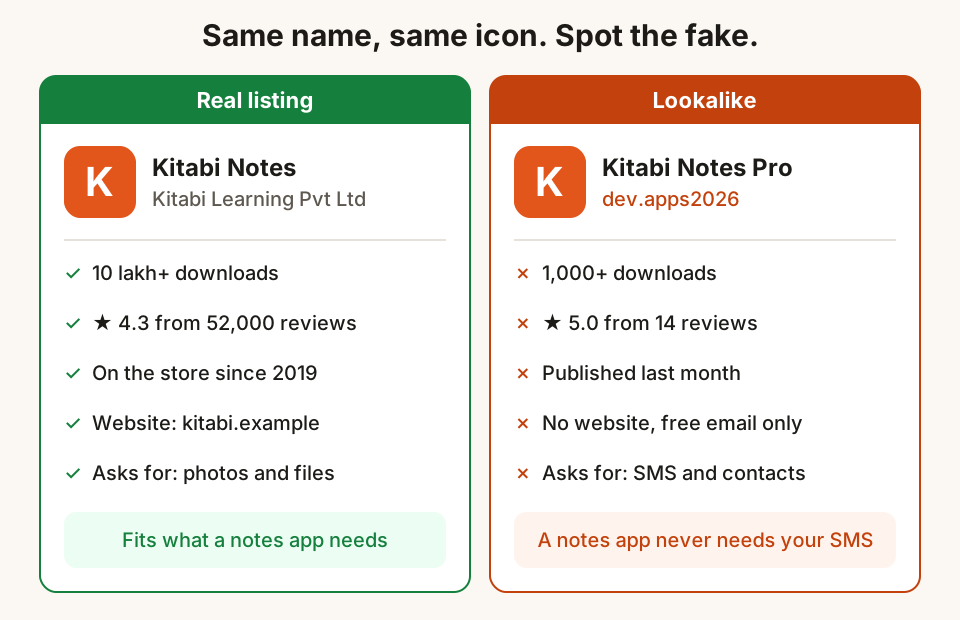
How to tell a fake app or browser extension from the real one
Fake apps and extensions copy real names and logos to steal OTPs and data. Six checks before you install, and what to do if you already have.
31 October 2026 · 10 min read
Two-step verification: switch it on for the accounts that matter
A password alone is easy to steal. How two-step verification works, which kind to pick, and the order to switch it on for email, WhatsApp and social media.
30 October 2026 · 9 min read