

 Blog
Hunt blog › Everyday India online
Train travel online: PNR status, waitlists and booking tips
What your PNR status means, how a waitlist moves, when Tatkal opens and what cancelling costs, with every rule checked on official railway sites.
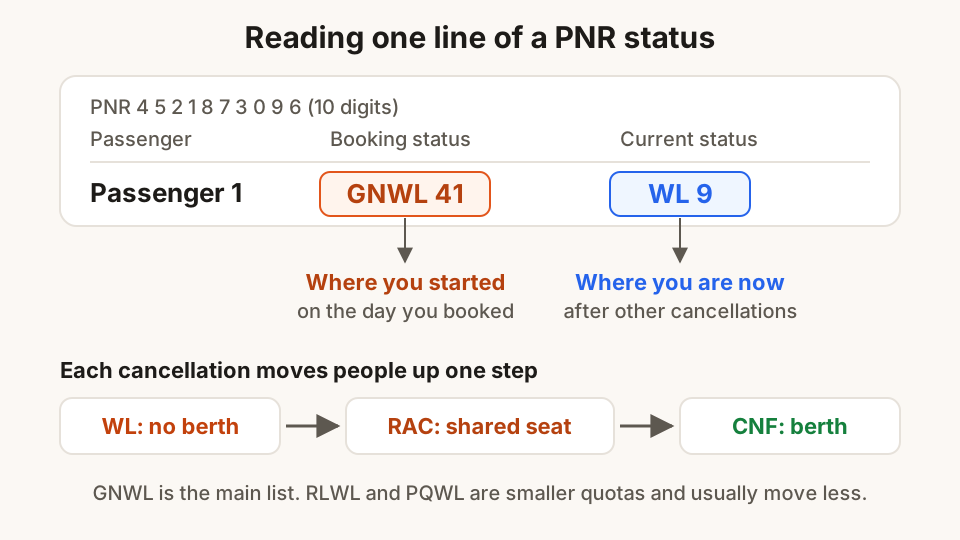
Ravi Teja booked two sleeper berths from Vijayawada to Secunderabad for his sister's engagement. The ticket said GNWL 41. A week later, the PNR page said WL 9. His mother asked the question every family asks: "Will it confirm?" Nobody can promise that, but you can read the signs much better once you know what the codes mean.
This guide explains the PNR status line, how waitlists move, when each booking window opens, and what cancelling costs. Railway rules change often, so every rule here was checked on Indian Railways, IRCTC or Press Information Bureau pages in October 2026. If something on your ticket looks different, the official site is right and this article is out of date.
Your PNR, and where to check it
The PNR (Passenger Name Record) is the 10-digit number printed at the top left of your ticket. One PNR can hold several passengers, and each of them has their own status.
You can check it in three official places:
- The PNR Enquiry page on indianrail.gov.in, which needs no login.
- Booked Ticket History on irctc.co.in or the railway's own apps, if you booked there.
- The 139 railway helpline, which has a PNR and train enquiry option in its menu.
Many apps and websites also show PNR status. They read the same railway data, but some ask for your phone number or show a lot of ads. When in doubt, the official PNR page is the one to trust.
Reading the status line
A status usually has two parts: the booking status (what you got on the day you booked) and the current status (where you stand now). "GNWL 41 / WL 9" means you booked at general waiting list number 41 and have since moved up to 9 as other passengers cancelled.
These are the codes the railway's own PNR page explains:
| Code | What it means |
|---|---|
| CNF | Confirmed. Coach and berth numbers appear after the chart is prepared |
| RAC | Reservation Against Cancellation. You can board and get a seat, often sharing a berth |
| WL | Waiting list, with your current position |
| GNWL | General Wait List, the train's main waiting list |
| RLWL | Remote Location Wait List, a smaller quota for some stations on the route |
| PQWL | Pooled Quota Wait List, a smaller quota shared by some journeys on the route |
| REGRET/WL | No more bookings allowed in that class |
| CAN / MOD | That passenger was cancelled or the booking was changed |
The practical difference between the waitlists is the size of the pool. GNWL draws on the main set of berths, so it usually moves the most. RLWL and PQWL draw on smaller quotas, so a low number on those lists is not as good as the same number on GNWL.
How a waitlist actually moves
A waitlist moves only when someone ahead of you cancels, or when the railway adds coaches. Each cancellation of a confirmed berth usually moves the first RAC passenger up to a berth, and the first waitlisted passenger up to RAC.
That is why movement is uneven. Many people cancel in the last two or three days, when plans settle. Festival weeks and Monday-morning trains to big cities move slowly because almost nobody cancels.
The final answer comes with the reservation chart. Indian Railways now prepares the first chart many hours before departure, and for trains leaving in the morning it is ready by the previous night. The exact times were changed in 2025, so watch for "Chart Prepared" on your PNR page rather than counting hours. A second chart is prepared about 30 minutes before departure, and berths left empty after the first chart can still be booked until then.
If you are still waitlisted after the chart
This rule surprises many families. If every passenger on an e-ticket is still waitlisted after the chart is prepared, their names are dropped from the chart and they are not allowed to board. IRCTC cancels the ticket and the refund goes back to the account you paid from. If you travel anyway, you are treated as travelling without a ticket.
If at least one passenger on the PNR is confirmed or RAC, the whole group stays on the chart, including the waitlisted names. Families sometimes book together for this reason.
VIKALP: let the railway move you to another train
With a waitlisted ticket, you can opt for VIKALP, the alternate train scheme, when you book or later from your booked tickets before the chart. You pick up to seven other trains, and if a berth is free on one of them, you are moved there.
It costs nothing extra, but there is also no refund if the other train is cheaper. Once you are moved, you cannot change back, and the boarding station may be a nearby one in the same city. VIKALP improves your chances. It does not guarantee a berth.
When booking opens
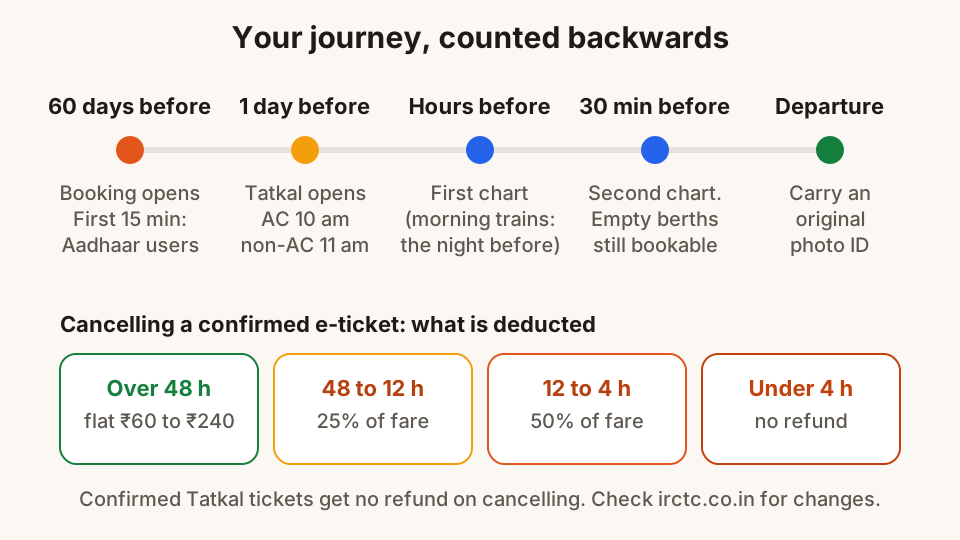
Most of the stress of train travel comes from missing a window. These are the ones to know:
- General booking opens 60 days before the journey, not counting the day of travel. This has been the rule since 1 November 2024. A few daytime trains have shorter windows.
- In the first 15 minutes after general booking opens, only Aadhaar-authenticated users can book on the IRCTC website and app.
- Tatkal opens one day before the journey, counted from the day the train leaves its starting station. AC classes open at 10:00 am and non-AC classes at 11:00 am.
- Tatkal online needs Aadhaar. Since July 2025, only Aadhaar-authenticated users can book Tatkal on the IRCTC website and app, with an Aadhaar-based OTP. Counter and agent bookings need an OTP sent to the mobile number you give.
- Authorised agents cannot book opening-day Tatkal tickets in the first 30 minutes of each window.
A Tatkal ticket can hold up to four passengers, and the senior citizen concession does not apply in the Tatkal quota.
Booking tips that actually help
The 10 o'clock rush is short. Most of the time you save comes from what you do the day before.
- Authenticate your Aadhaar in your IRCTC profile now, not at 9:58 am on Tatkal day. The Ministry of Railways asks every passenger to do this in advance.
- Save your travellers in the master list in your IRCTC profile, with names exactly as on their ID cards. Then you pick them instead of typing.
- Keep the payment ready. Check your UPI app opens and your bank is not under maintenance. A failed payment at 10:01 often means a waitlisted ticket at 10:04.
- Look at nearby stations and trains. Boarding at Secunderabad instead of Hyderabad, or a train an hour later, can turn GNWL 60 into a confirmed berth.
- Book only on official sites and apps. Someone offering a "sure confirm Tatkal" for an extra fee has no access you don't have, and may be misusing other people's IDs.
- Give a real mobile number for every booking. Chart updates, train changes and refund messages go there.
Cancelling and refunds
For a confirmed e-ticket, what you get back depends on how early you cancel. These are IRCTC's charges per passenger:
| When you cancel | What is deducted |
|---|---|
| More than 48 hours before departure | A flat charge: ₹240 AC First / Executive, ₹200 AC 2-tier / First Class, ₹180 AC 3-tier / AC Chair Car / AC 3 Economy, ₹120 Sleeper, ₹60 Second Class |
| 48 to 12 hours before | 25% of the fare, at least the flat charge |
| 12 to 4 hours before (or until the chart, if earlier) | 50% of the fare, at least the flat charge |
| Less than 4 hours before, without cancelling or filing a TDR | No refund |
An RAC e-ticket can be cancelled, or a TDR filed, up to 30 minutes before departure. A confirmed Tatkal ticket gets no refund when you cancel it. If the railway cancels the whole train, you get a full refund.
A TDR (Ticket Deposit Receipt) is the online refund claim you file from your booked tickets on IRCTC when a ticket can no longer be cancelled the normal way, for example after the chart is prepared.
On the day of travel
Carry an original photo ID for at least one passenger on the PNR. IRCTC accepts Aadhaar (printed, e-Aadhaar or in the mAadhaar app), voter ID, PAN, passport, driving licence and some others. An Aadhaar or driving licence shown from the Issued Documents section of DigiLocker counts. A photo you uploaded yourself does not. Without a valid ID, you can be treated as travelling without a ticket.
The ticket itself can be on your phone. The SMS or the e-ticket PDF is enough with the ID. For running status, the railway's National Train Enquiry System shows where the train is. For help on board, call 139 (RailMadad).
How Hunt Browser helps
If you check PNRs often, Hunt Browser for Windows and Mac has a PNR status card on the new tab. Open a new tab, tap PNR status and type the 10-digit number. It is handy, but for anything that matters, such as whether to leave for the station, check the official page as well.
Questions
What does GNWL mean on my train ticket?
GNWL means General Wait List, the train's main waiting list. It draws on the largest pool of berths, so it usually moves faster than RLWL or PQWL. The number after it is your position. Your current status shows where you are now, after other cancellations.
Can I board with a waitlisted e-ticket?
Not if every passenger on the PNR is still waitlisted after the chart is prepared. Their names are dropped from the chart, the ticket is cancelled and the money is refunded to your account. If at least one passenger on the same PNR is confirmed or RAC, the waitlisted passengers stay on the chart too.
What time does Tatkal booking open?
One day before the train leaves its starting station: 10:00 am for AC classes and 11:00 am for non-AC classes. Online Tatkal booking on IRCTC needs an Aadhaar-authenticated account and an OTP.
How far in advance can I book a train ticket?
60 days, not counting the day of the journey. This has applied since 1 November 2024. A few daytime trains have shorter booking windows.
Is a DigiLocker copy of my Aadhaar valid on the train?
Yes, if you show the Aadhaar or driving licence from the Issued Documents section after logging in to DigiLocker. A scan or photo in your Uploaded Documents section is not accepted as ID.
Sources
- PNR Enquiry and status codes, Indian Railways
- Advance Reservation Period reduced to 60 days from 1 November 2024, PIB
- Aadhaar authentication for Tatkal from 1 July 2025 and OTP from 15 July 2025, PIB
- Ministry of Railways Year End Review 2025 (Aadhaar in the first 15 minutes of booking), PIB
- Earlier first charts: for trains before 2 pm, the previous night, PIB
- Second reservation chart 30 minutes before departure, PIB
- Computerised reservation and general rules (RLWL and PQWL after the general list), Western Railway
- Tatkal booking guide, IRCTC
- E-ticket cancellation and refund rules, IRCTC
- Scheme for waitlisted e-tickets, IRCTC
- VIKALP terms and conditions, IRCTC
- E-ticket FAQ: valid ID proofs and DigiLocker, IRCTC
- Rail Madad helpline 139, PIB
- Be aware: receiving money never needs a PIN, Reserve Bank of India
Hunt Browser blocks ads and trackers before they load, and has Hunt AI built in. Free for Windows and Mac.
Keep reading
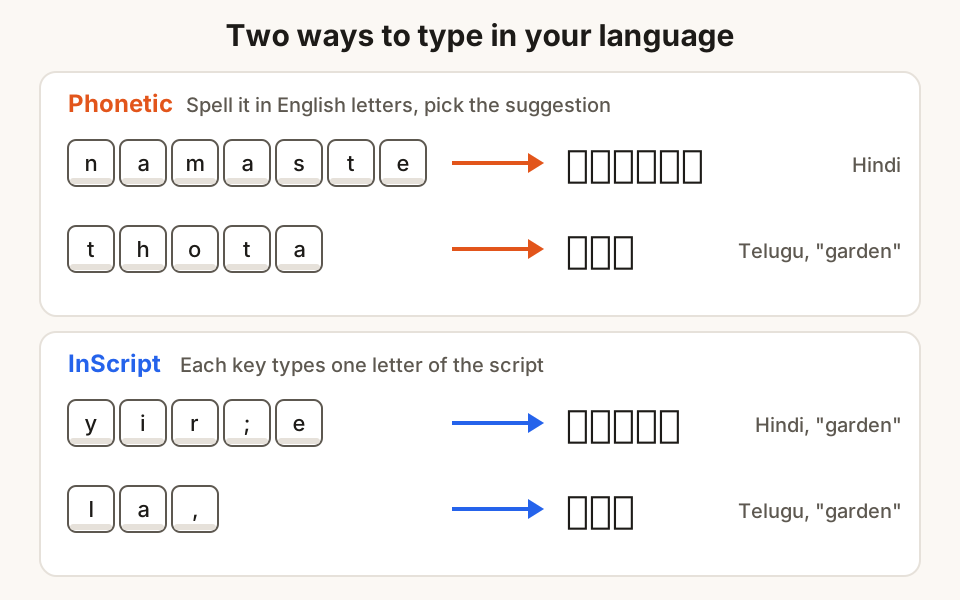
How to type in Telugu, Hindi and other Indian languages on a computer
Type Telugu, Hindi and other Indian languages on Windows or Mac without buying anything: phonetic typing, InScript layouts, switching keys and fixing boxes.
3 November 2026 · 8 min read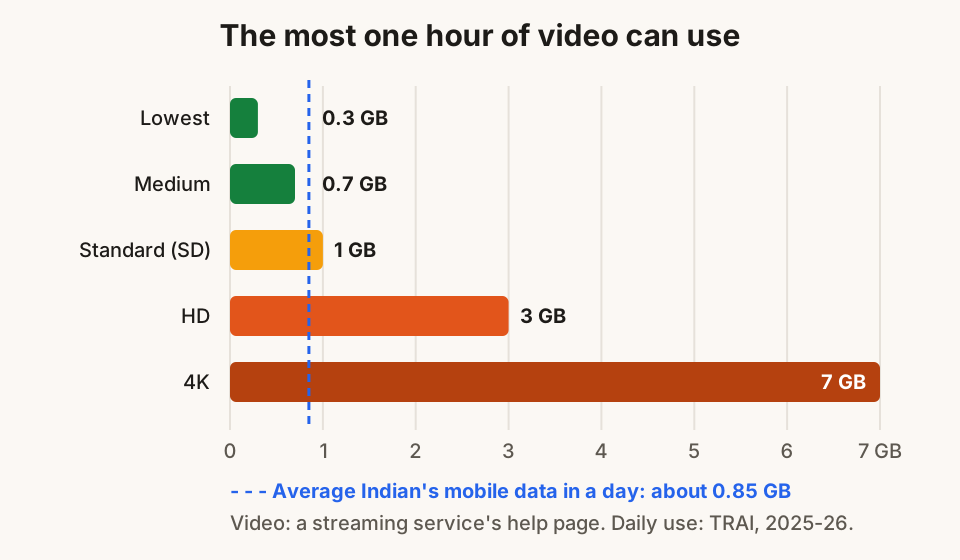
12 ways to use less mobile data while browsing
Daily data running out by evening? Twelve simple settings for Android, iPhone, WhatsApp and laptops that cut mobile data use without losing anything.
1 November 2026 · 8 min read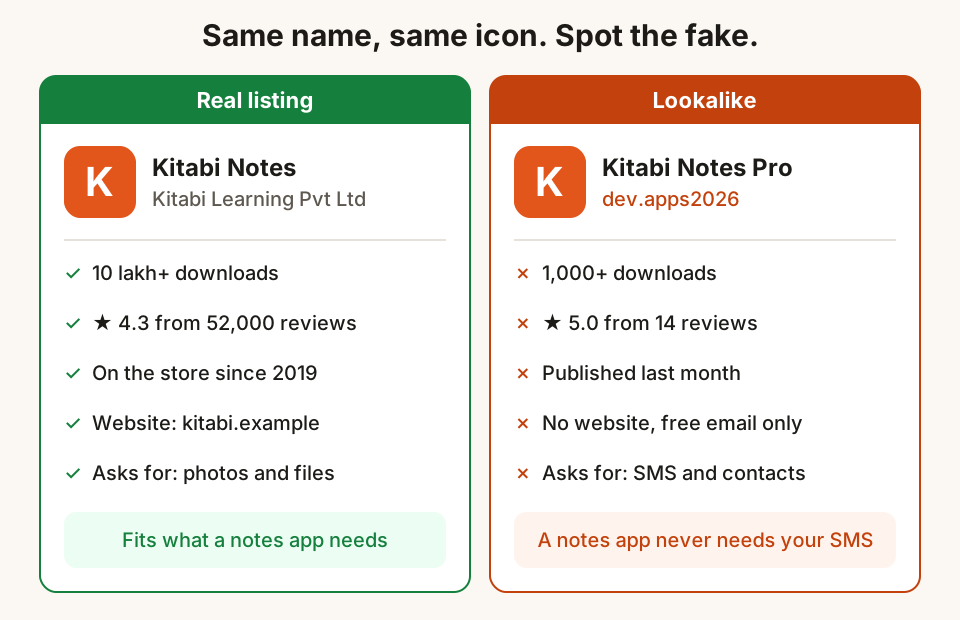
How to tell a fake app or browser extension from the real one
Fake apps and extensions copy real names and logos to steal OTPs and data. Six checks before you install, and what to do if you already have.
31 October 2026 · 10 min read