

 Blog
On-device AI and cloud AI: what's the difference, and why it matters
Where an AI tool runs decides who sees your text, whether it works offline, how fast it is and how good the answers are. A plain guide to choosing.
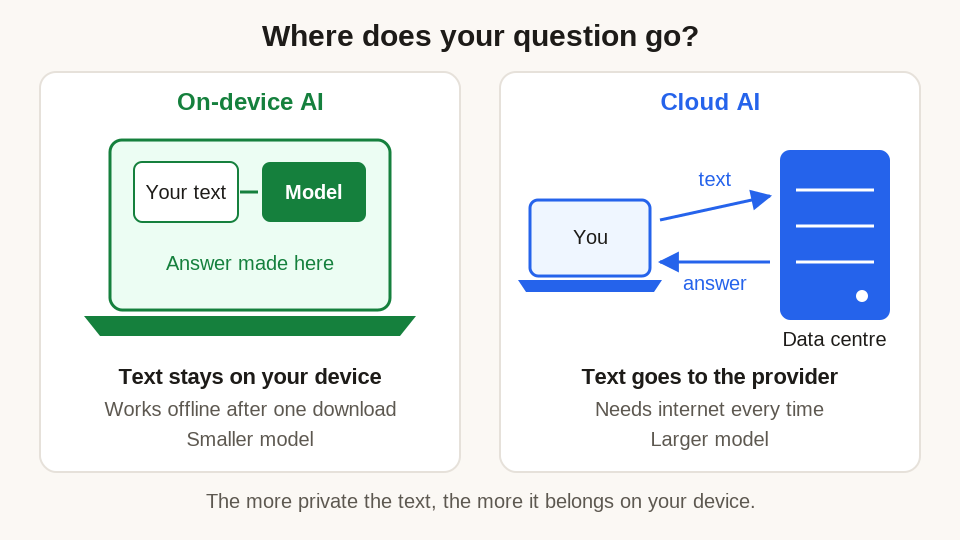
Asha is doing her CA articleship in Pune. Her manager sends her a client's 30-page loan agreement and asks for the key terms by evening. An AI tool could pull them out in a minute. But the agreement has the client's name, bank details and figures in it, and Asha isn't sure where the text goes once she pastes it in.
That question, where does the AI actually run, is one of the most useful things to understand about AI tools today. It decides who can see what you type, whether the tool works without internet, how fast it is, and how good the answers are.
There are two answers: on your own device, or in the cloud. Neither is always better. This guide explains the difference in plain words and helps you pick the right one for each job.
Two places an AI can run
An AI model is a large file of numbers, learned from huge amounts of text, plus a program that uses those numbers to produce words. To answer you, the model has to be loaded into a computer's memory and run. The question is whose computer.
On-device AI runs on your phone or computer. The model is downloaded once and stored on your device. When you ask something, the work happens on your own processor, and your text doesn't need to go anywhere.
Cloud AI runs on servers in a data centre owned by the company behind the tool. Your question, and anything you paste or attach, is sent over the internet to those servers. The answer is made there and sent back.
Most AI chat apps and websites people know are cloud AI. On-device AI is newer for everyday use, because only recently have models become small enough, and ordinary laptops and phones strong enough, to run them well.
Why size matters
The "large" in large language model is literal. A model is measured in parameters, the numbers it learned during training. Models made to run on a laptop or phone usually have a few billion. The biggest cloud models are many times larger.
Each parameter takes memory. Stored at full working precision (16 bits, or 2 bytes each), a 3-billion-parameter model needs about 6 GB just to hold it. That is more than many laptops can spare while also running a browser.
The trick that makes on-device AI possible is called quantization: storing each number with fewer bits. At 4 bits (half a byte), the same 3-billion-parameter model needs about 1.5 GB. The answers get a little less precise, but for many everyday tasks the difference is small.
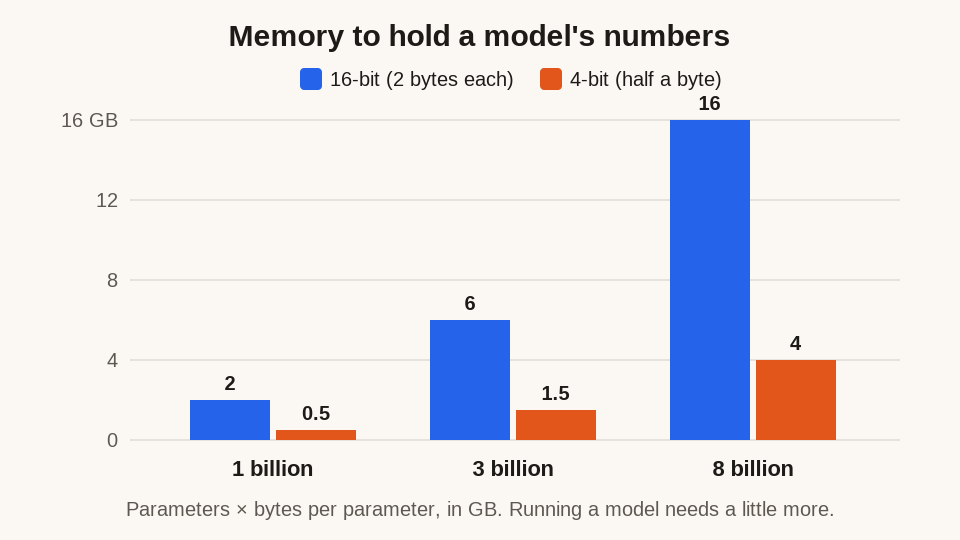
This is why on-device models are smaller and cloud models are larger. A data centre can put dozens of powerful chips and huge amounts of memory behind a single answer. Your laptop can't.
The trade-offs, side by side
| On-device AI | Cloud AI | |
|---|---|---|
| Where your text goes | Stays on your device | Sent to the provider's servers |
| Internet needed | Only to download the model once | Every time |
| Account | Often not needed | Usually needed |
| Speed | Instant start; depends on your device | Depends on your connection and the service's load |
| Answer quality | Good for summaries, translation, simple questions | Better for hard reasoning, long documents, coding |
| Cost to you | Storage space, battery and heat | Often free with limits, or a paid plan |
| Up to date | Knows only what it learned, plus the page you give it | Some tools can search the web |
Privacy
This is the biggest difference. With on-device AI, the page you are reading, the document you paste and the question you ask can stay on your device. Nobody else needs to see them for the answer to be made.
With cloud AI, your text leaves your device. That doesn't make cloud AI unsafe, but it means you are trusting the provider. Before you paste something sensitive into a cloud tool, check three things in its privacy policy: whether your conversations are used to train its models, how long they are kept, and whether people at the company can review them. India's Digital Personal Data Protection Act, 2023 gives you rights over personal data that companies process, including asking what they hold.
Offline and data costs
Once downloaded, an on-device model works on a train with no signal, in a village with weak coverage, or when your data pack has run out. The first download is large, so do it on Wi-Fi. After that, it uses no data at all.
Cloud AI needs a working connection for every question. On a slow network, you wait. With no network, it doesn't work.
Quality and speed
Bigger models are generally better at difficult tasks: multi-step reasoning, careful writing, long and complex documents, and code. For that kind of work, cloud AI usually gives better answers.
For everyday jobs, such as summarising an article, explaining a paragraph in simpler words, translating a notice from English to Telugu, or drafting a short reply, a good small model on your device is often enough. It can also feel faster, because there is no round trip over the internet.
Both kinds can be wrong. A small model can misunderstand. A big model can sound very sure about something it made up. Check anything important against the original.
Which one to use, job by job
A simple rule: the more private the text, the more it belongs on your device. The harder the task, the more it benefits from the cloud.
- Your own private documents (bank statements, medical reports, salary slips, a client's agreement, as in Asha's case): prefer on-device AI, or your organisation's approved tool.
- Translating a letter or notice: on-device works well for common language pairs, and keeps personal letters private.
- Summarising a public news article: either works. On-device saves data; cloud may catch more nuance.
- A difficult question, a long report or code: cloud AI will usually do better. Remove names, account numbers and other personal details before pasting.
- Anything about today's news, prices or schedules: a cloud tool that searches the web, and then check the official source.
How Hunt Browser does it
Hunt Browser for Windows and Mac has both, and you choose which one answers. Hunt AI on your device needs no account: instant summaries and key facts are made on your computer, and after a one-time model download on Wi-Fi it can explain, translate and draft replies there too. The page and your question stay on your device. Offline translation between English and Indian languages works the same way: each language downloads once, then works even without internet.
Hunt AI in the cloud gives free daily answers from a larger model for harder questions. It needs a Hunt account, and sign-in is coming soon. Questions sent to the cloud are used to answer you and never to train models. Like any AI, Hunt AI can make mistakes, so check important facts on the page itself.
Questions
Is on-device AI completely private?
It keeps your text on your device while the AI works, which is a big privacy gain. But the app around it still has its own settings, such as usage statistics, so read its privacy information. And anything you then copy into a chat or email is shared as usual.
Why are on-device AI answers sometimes weaker than cloud answers?
On-device models must fit in your computer's or phone's memory, so they are much smaller than the models in data centres. They handle summaries, translation and simple questions well, but larger cloud models usually do better at hard reasoning and long documents.
Does on-device AI work without internet?
Yes, once the model is downloaded. The first download needs internet and is large, so use Wi-Fi. After that, questions are answered on your device without a connection.
Will on-device AI slow down my computer?
While it is working, it uses your processor and memory, so other programs may slow down for a moment and a laptop may get warm. When it is not answering, it uses little or nothing. Older computers with less memory may struggle with larger models.
Is it safe to paste personal documents into a cloud AI tool?
Only if you are comfortable with the provider holding that text under its privacy policy. Check whether it trains on your conversations and how long it keeps them. For bank, medical or client documents, prefer an on-device tool or remove personal details first.
Sources
- Quantization overview: lower-precision weights to reduce memory, Hugging Face Transformers docs
- The Digital Personal Data Protection Act, 2023, MeitY
- Government notifies DPDP Rules, PIB
- Hunt AI on your device, Hunt Browser features
- Offline translation, Hunt Browser features
- Hunt AI in the cloud, Hunt Browser features
Hunt Browser blocks ads and trackers before they load, and has Hunt AI built in. Free for Windows and Mac.
Keep reading
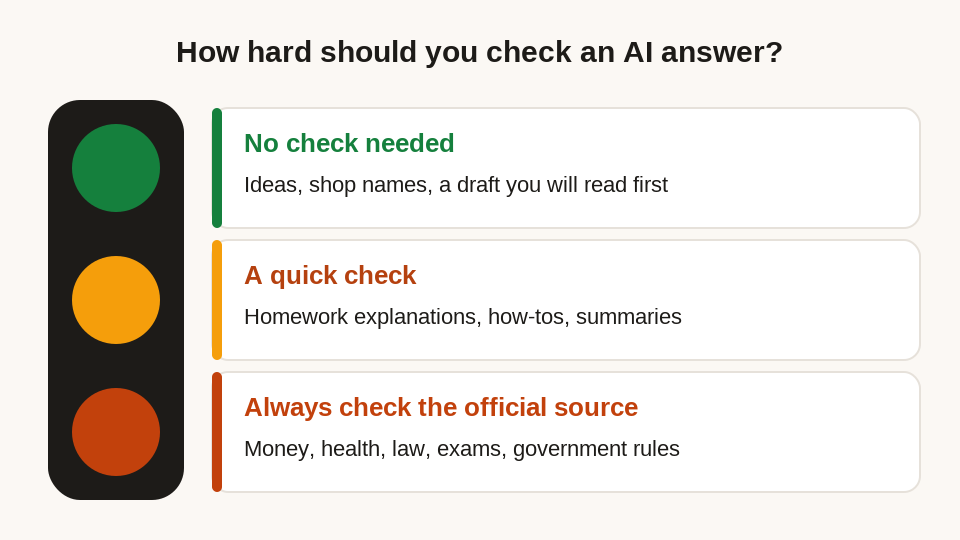
When AI gets it wrong: how to check an AI answer in two minutes
AI answers sound sure even when they're wrong or out of date. Which answers need checking, a two-minute method, and the red flags that should make you stop.
12 November 2026 · 9 min read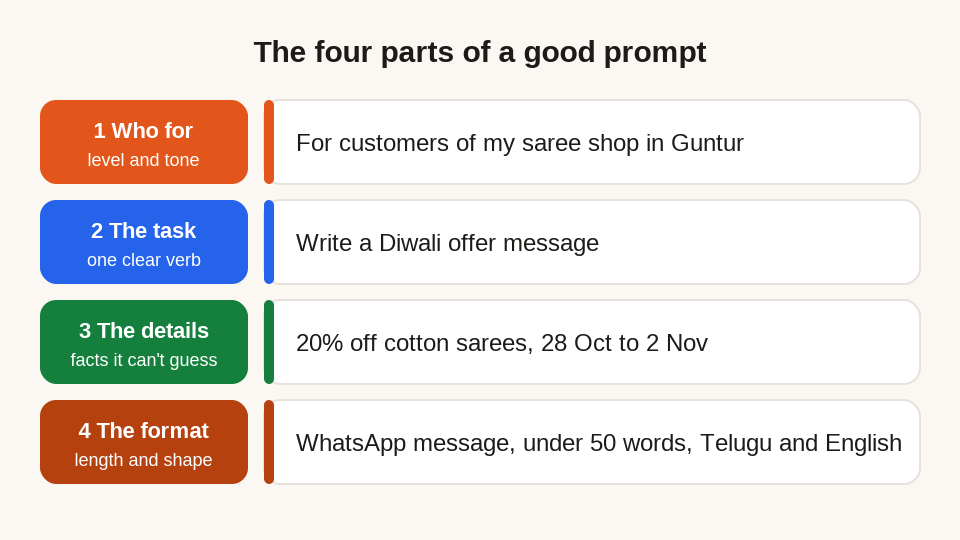
20 everyday AI prompts for students, shopkeepers and office workers
Twenty ready-to-use AI prompts for studying, running a shop and office work, plus the four parts of a good prompt and what never to paste into an AI tool.
11 November 2026 · 9 min read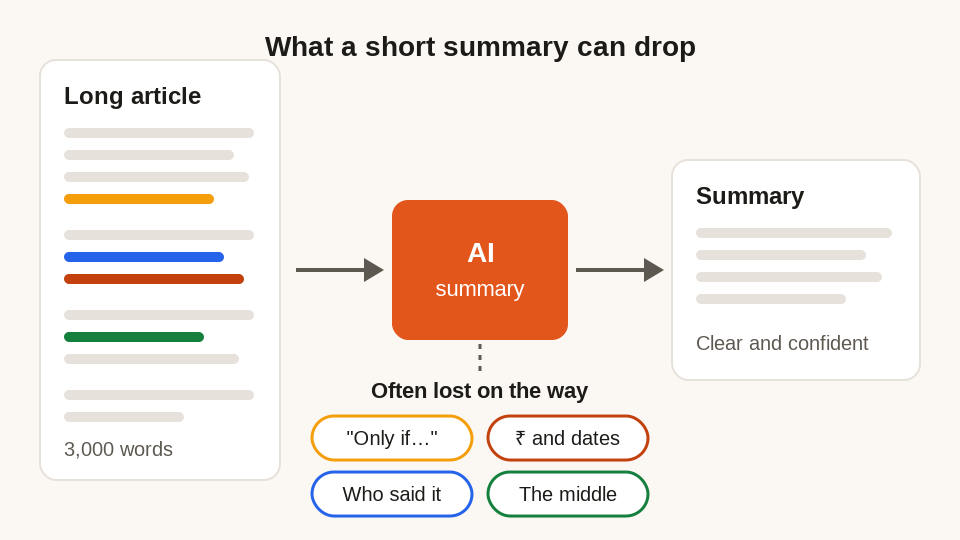
Using AI to summarise long articles without missing the point
AI summaries save time but drop conditions, numbers and who said what. How to ask for a better summary, and a three-step check before you rely on it.
10 November 2026 · 10 min read