

 Blog
When AI gets it wrong: how to check an AI answer in two minutes
AI answers sound sure even when they're wrong or out of date. Which answers need checking, a two-minute method, and the red flags that should make you stop.
In 2023 a lawyer in New York submitted a court filing full of past judgments that an AI chatbot had suggested. Six of them didn't exist. The judge fined the lawyers $5,000. In India, a tax tribunal bench in Bengaluru recalled one of its own orders in January 2025 after it was found to cite judgments that didn't exist, reportedly produced by an AI tool.
These were professionals, and they were caught out by the same thing that catches everyone: an AI answer looks exactly the same whether it is right or wrong. It is fluent, polite and sure of itself either way.
You don't need to stop using AI. You need a quick way to tell which answers to check, and a habit for checking them. This guide gives you both, and the whole check takes about two minutes.
Why AI answers go wrong
An AI chatbot doesn't look facts up the way you search a website. It writes the most likely next words based on patterns in the huge amount of text it learned from. Most of the time, likely and true are the same thing. Sometimes they aren't.
That leads to a few common kinds of mistake:
- Invented details. A name, a number, a quote or a "source" that sounds right but was never real. This is often called a hallucination.
- Out-of-date answers. Every model learned from text up to a certain date. Rules change after that. For example, from 1 July 2025 only Aadhaar-authenticated users can book Tatkal train tickets on the IRCTC website and app. A model that learned from older text may give the old rules with full confidence.
- Mixed-up lookalikes. Two schemes with similar names, two people with the same surname, or one state's rule given for another.
- Wrong sources. In a 2025 study by the European Broadcasting Union and the BBC, 31% of AI answers about the news had serious sourcing problems, such as quoting a source that didn't say what the answer claimed.
Which answers need checking
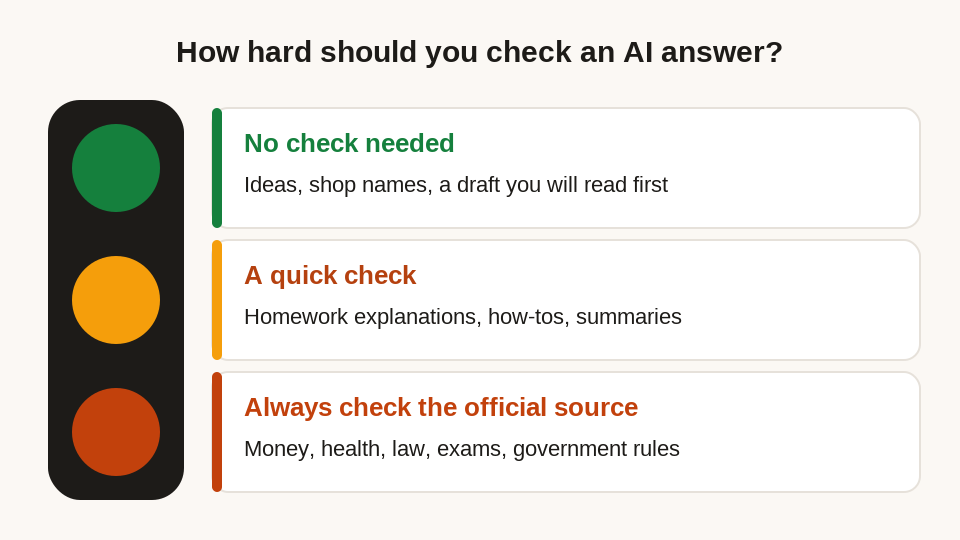
Not every answer needs a check. A poem for your friend's birthday can't be "wrong". A rule about your exam form can. Sort answers by what happens if they are wrong.
- Green, no check needed: ideas, names for a shop, a draft message you will read before sending, a recipe twist, practice questions.
- Amber, a quick check: explanations for homework, how to do something on your phone or computer, a summary of an article, general history and science.
- Red, always check at the official source: money, banking and tax; health and medicines; legal rights and documents; exam dates, fees and eligibility; train, passport and other government rules; anything with a deadline.
For red answers, the AI is a starting point that tells you what to look up. It is never the last word.
The two-minute check
Here is a routine you can run on any answer in the amber or red group. With practice it takes about two minutes.
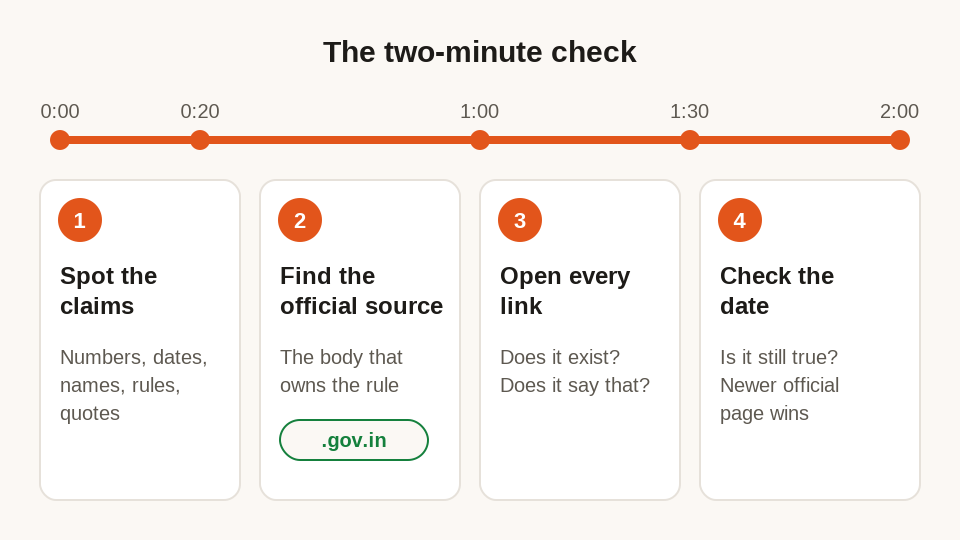
Step 1: Spot the claims (20 seconds)
Read the answer once and pick out the specific facts: numbers, dates, names, amounts, rules, quotes and "according to" sources. Those are what you check. The friendly sentences around them don't need checking.
If an answer has no specific claims at all, ask for them: "What exactly is the fee, and where is that stated?"
Step 2: Find the official source (40 seconds)
Search for the claim yourself, and go to the organisation that owns the rule rather than a blog that repeats it. In India, some good places to start:
| Topic | Where to check |
|---|---|
| Train tickets and rules | indianrail.gov.in and irctc.co.in |
| Income tax | incometax.gov.in |
| Banking rules and RBI notices | rbi.org.in |
| Aadhaar | uidai.gov.in |
| Central government announcements | pib.gov.in |
| Exams and admissions | the exam board's or university's own site |
| Your state's schemes | the state department's .gov.in site |
Official Indian government sites usually end in .gov.in or .nic.in. A look-alike address such as incometax-refund.gov-in.co is not one of them.
Step 3: Open every link and source (30 seconds)
If the AI gave you links, references or names of reports, open them. Check two things: does the page exist, and does it actually say what the AI claimed? A real-looking link that leads nowhere, or a real page that says something different, is a strong sign the answer was invented.
This is exactly what tripped up the lawyers in New York. The citations looked perfect. Nobody opened them until the judge did.
Step 4: Check the date (30 seconds)
Look at the date on the official page you found, and ask: is this still true? Rules for tickets, taxes, fees and documents change often. If the AI's answer and the official page disagree, the official page wins, especially if it is newer.
Red flags in an AI answer
Slow down and check harder when you see any of these:
- Very exact numbers with no source. "Exactly 2,47,000 people applied" sounds authoritative. Where is it from?
- Perfect quotes. A neat quote from a minister, a judge or a scientist is easy to invent. Search for the exact words.
- References you can't find. Case names, report titles or book chapters that don't appear anywhere else.
- Breaking news. Fast-moving stories are where AI answers most often mix old and new details.
- Long calculations. AI tools can slip on arithmetic, especially across many steps. Redo the sums with a calculator.
- Different answers to the same question. Ask the same thing in a new chat. If the facts change, none of them can be trusted without a check.
Tricks that help, and one that doesn't
A few follow-up questions make an AI answer easier to check:
- "Which official website states this? Give me the page." Then open it yourself.
- "Quote the exact sentence from the source." Then search for that sentence.
- "What would make this answer wrong or out of date?" This often brings out the conditions and exceptions.
What doesn't work well is asking the AI "Are you sure?" and trusting the reply. It may apologise and change a correct answer, or confidently repeat a wrong one. A check only counts when it reaches a source outside the AI.
Checking forwards and viral claims
AI-written text and AI-made images now turn up in WhatsApp forwards too: a "new rule" from a ministry, a scheme that pays everyone, a notice with an official-looking stamp. The same routine works, starting with Step 2.
For claims about the central government, its ministries and departments, the government's PIB Fact Check unit checks queries sent by the public. You can send a suspicious message to its WhatsApp number, +91 87997 11259, or use its website, factcheck.pib.gov.in. It only takes up claims about the Government of India, so for state matters go to the state department's own site.
When to ask a person instead
For health, legal and money questions, the best "official source" is often a qualified person: your doctor or pharmacist, a lawyer, your bank branch, or the office that issued the notice. Use the AI to understand the words and prepare your questions, then ask someone who is accountable for the answer.
In Hunt Browser
Hunt AI sits in the side panel of Hunt Browser for Windows and Mac, next to the page you are reading. Its summaries and key facts of that page are made on your computer, with no account, and after a one-time download of the free on-device model you can ask your own questions about the page too. Because the source is open right beside the answer, Step 3 takes seconds. Hunt AI can make mistakes like every AI tool, and the panel says so. For anything important, check the page itself.
Questions
Why does AI make things up instead of saying "I don't know"?
AI chatbots write the most likely words in reply, and a confident, complete-sounding answer often looks more likely than "I don't know". Some tools admit uncertainty more often than others, but none can be relied on to do it every time. That's why the check has to reach a source outside the AI.
Is an AI answer with links more trustworthy?
Only after you open the links. AI tools sometimes give links that don't exist or that say something different from the answer. A link you have opened and read is evidence. A link you haven't opened is decoration.
How do I know a government website is real?
Indian government sites usually end in .gov.in or .nic.in. Type the address yourself or search for the department's name, and be wary of addresses with extra words, hyphens or unusual endings. Never enter OTPs or bank details on a site you reached from a forwarded link.
Can I use AI for exam or job application information?
Use it to understand the process and make a checklist, then confirm every date, fee and eligibility rule on the exam board's or employer's official notification. Those details change from year to year, and an AI may give last year's numbers.
Sources
- Mata v. Avianca, Inc. (US District Court, Southern District of New York, 2023), case summary
- Phony AI brief leads to $5,000 fine for New York lawyers, Bloomberg Law (June 2023)
- Buckeye Trust v. PCIT: ITAT Bengaluru order recalled (January 2025), itatonline digest
- Only Aadhaar-authenticated users can book Tatkal tickets from 1 July, Ministry of Railways via PIB (June 2025)
- News Integrity in AI Assistants, EBU and BBC (October 2025)
- The SIFT method, UC Merced Library
- PIB Fact Check Unit, Press Information Bureau
Hunt Browser blocks ads and trackers before they load, and has Hunt AI built in. Free for Windows and Mac.
Keep reading
20 everyday AI prompts for students, shopkeepers and office workers
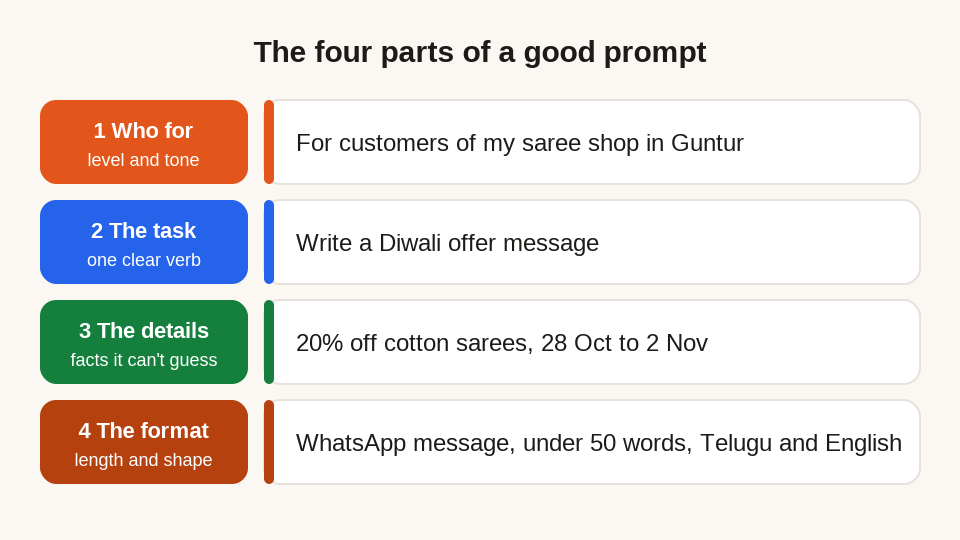
Twenty ready-to-use AI prompts for studying, running a shop and office work, plus the four parts of a good prompt and what never to paste into an AI tool.
11 November 2026 · 9 min read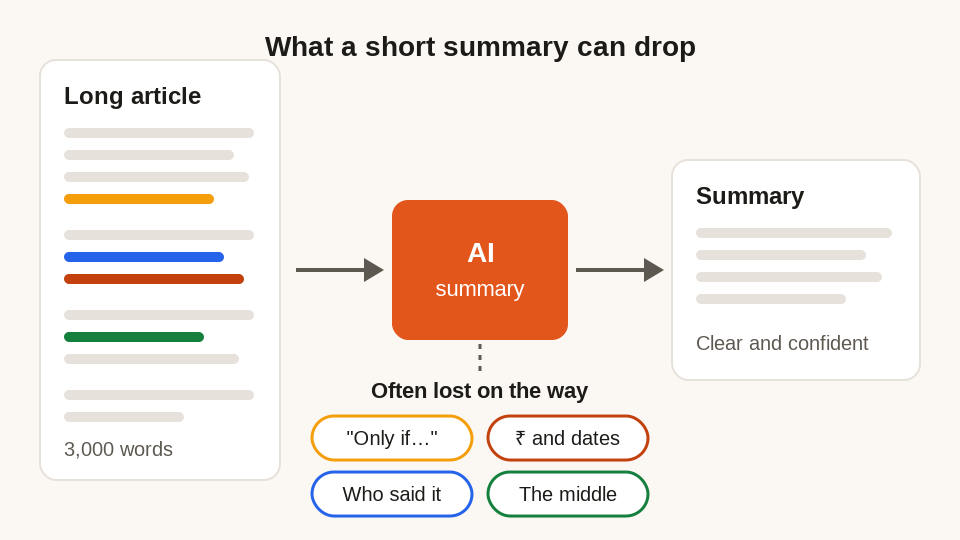
Using AI to summarise long articles without missing the point
AI summaries save time but drop conditions, numbers and who said what. How to ask for a better summary, and a three-step check before you rely on it.
10 November 2026 · 10 min read
On-device AI and cloud AI: what's the difference, and why it matters
Where an AI tool runs decides who sees your text, whether it works offline, how fast it is and how good the answers are. A plain guide to choosing.
8 November 2026 · 8 min read