

 Blog
Hunt blog › Everyday India online
Keeping your documents digital and safe: DigiLocker, PDFs and photos
How to keep Aadhaar, PAN, marksheets and licences on your phone safely, when a DigiLocker copy counts as the original, and how to share a copy without risk.
Lakshmi runs a small tailoring shop in Guntur. Her phone gallery holds photos of her Aadhaar, her PAN card, her son's Class 10 marksheet, two gas bills and her husband's driving licence, between festival photos and cloth samples. Every few weeks someone asks for "a copy", and she forwards a photo on WhatsApp without thinking much about it.
Most of us live like this. It works, until a phone is lost, a copy turns up in a loan app fraud, or the photo is too blurry at the one office that matters.
This guide sorts it out: which digital copies count as the real thing, where to keep the rest, and how to give someone a copy without handing them more than they need. Rules were checked on DigiLocker, UIDAI, IRCTC and transport ministry pages in October 2026.
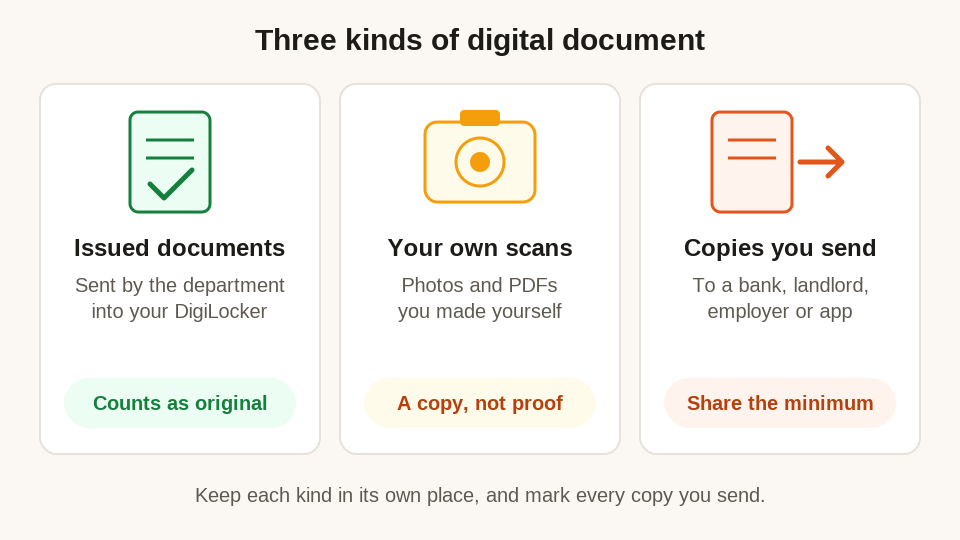
Three kinds of digital document
It helps to think of your documents in three groups. Each one needs different care.
- Issued documents. These come straight from the department that issued them, such as your driving licence from the transport department or your marksheet from the board, into DigiLocker. They count as originals.
- Your own scans and photos. Pictures and PDFs you made yourself. They are useful copies, but nobody has to accept them as proof.
- Copies you hand over. Anything you send to a bank, employer, landlord or app. Once sent, you can't take it back, so it should carry only what that person needs.
DigiLocker: the copy that counts
DigiLocker is the government's document wallet, run by the National e-Governance Division under the Ministry of Electronics and IT. You sign up at digilocker.gov.in or in the official app with your mobile number, Aadhaar, PAN or driving licence, and confirm with an OTP.
The useful part is the Issued Documents section. When you "fetch" a document there, DigiLocker gets it from the issuer itself. Under the IT rules for digital lockers made in 2016, documents issued or shared through DigiLocker are legally equivalent to the physical originals. There is no fee for issued documents.
Here is where that already helps in daily life:
- Train travel. IRCTC accepts an Aadhaar or driving licence shown from the Issued Documents section as valid ID on the train. A scan you uploaded yourself does not count.
- Traffic checks. Since 2018 the transport ministry has asked states to accept driving licences and vehicle registration certificates shown through DigiLocker or mParivahan. If the app doesn't show something current, such as insurance or a pollution certificate, keep the paper for that.
- Marksheets and certificates. Many boards and universities issue them to DigiLocker, which saves a trip when an admission office or employer asks to see them.
DigiLocker also has an Uploaded Documents space, where you can keep your own scans. Treat it like any other storage: handy, but not proof. And nothing is shared from DigiLocker unless you give consent, so read the screen before you tap Allow.
Aadhaar needs a little extra care
Aadhaar is linked to so many services that it deserves its own habits.
Use masked Aadhaar when the full number isn't needed. In a masked e-Aadhaar, the first eight digits are replaced with "xxxx-xxxx" and only the last four show. A hotel check-in or a gym membership rarely needs more than that. You download it as an e-Aadhaar from UIDAI's official website.
Know that the e-Aadhaar password is easy to guess. The PDF password is the first four letters of your name in capitals followed by your year of birth, for example LAKS1984. That protects the file from a casual look, but anyone who knows your name and age can open it. Don't treat it as a secret lock.
Lock your biometrics. UIDAI lets you lock fingerprint, iris and face authentication from its website or the official Aadhaar app, if your mobile number is registered with Aadhaar. While they are locked, nobody can use your fingerprint, iris or face for Aadhaar authentication; OTP-based authentication keeps working. You can unlock them for a short while when you need to give a fingerprint.
Photos and scans on your phone
Your own copies are where most leaks begin, usually through convenience rather than hacking. A few habits keep them in check.
Make one good copy and keep it in one place. Scan each document flat, in good light, as a PDF. A clear, cropped scan is accepted at more counters than a tilted photo with your thumb in it. Keep these in a folder that is not your main photo gallery, so they don't end up in a slideshow, a shared album or a photo you show your neighbour.
Check what your gallery shares. Many phones back up every photo automatically and some share albums with family. That is fine for festival pictures, less so for your PAN card. Look at your phone's backup and shared album settings once.
Turn off location tagging for document photos. Phone cameras can save where a photo was taken inside the file. That rarely matters for a selfie, but there is no reason for a scan of your rental agreement to carry your home location. Your camera settings have a switch for it.
Clear the copies apps make. Every document you send on a chat app is also saved in that app's media folder, often twice. Once a month, clear old documents from your chat downloads.
Protect the device itself. A screen lock, a PIN that isn't your birth year, and the phone's find-my-device feature switched on protect every document on it at once.
Sharing a copy safely
Before you send any copy, ask two questions: does this person really need it, and do they need all of it?
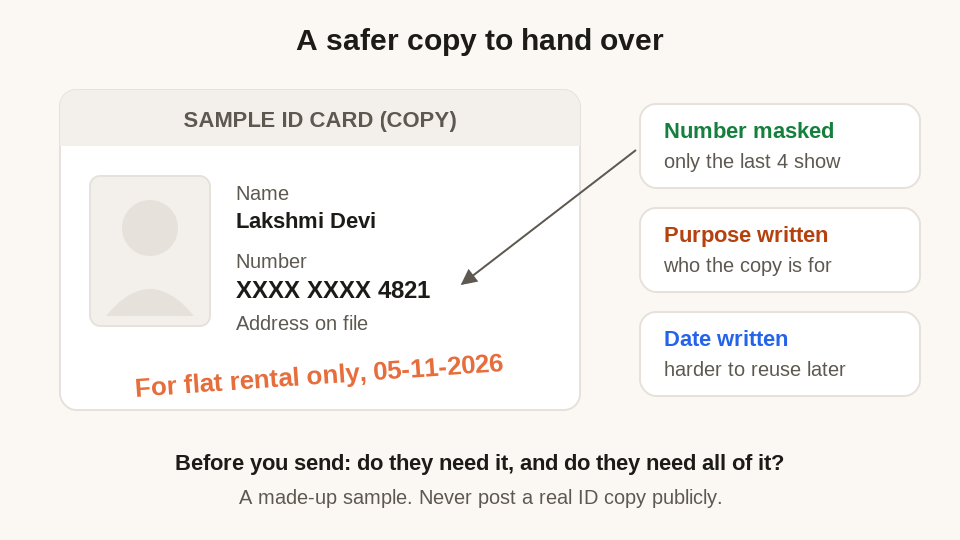
- Send only what is needed. If they need your address, a utility bill may do. If they need identity, masked Aadhaar may do.
- Mark the copy. Write across it who it is for and the date, for example "For flat rental, Ravi Kumar, 05-11-2026 only". If the copy is misused elsewhere, the mark shows where it came from and makes it harder to reuse.
- Use the official channel. Upload to the bank's or employer's own website or app rather than a personal number.
- Password-protect sensitive PDFs you email, and send the password by a different route, such as a phone call.
- Be suspicious of urgency. Loan apps, "job offers" and "KYC update" messages often ask for documents first and explain later. Real institutions don't need your documents on a stranger's WhatsApp number.
A simple backup plan
Phones get lost, stolen and dropped in buckets. The goal is that losing one is an inconvenience, not a crisis.
- Issued documents can always be fetched again in DigiLocker from a new phone, once you sign in.
- Your own scans should live in two places, for example the phone and a pen drive or computer at home. Encrypt or lock the folder if others use that computer.
- Paper originals still matter. Keep them together in one waterproof folder, and know where it is.
When you replace a phone, sign out of DigiLocker and other document apps on the old one, and wipe it before you sell or exchange it.
How Hunt Browser helps
Many documents end up as PDFs that need merging, splitting or shrinking to fit an upload limit. Hunt Browser for Windows and Mac has PDF tools that merge, split, rotate, compress, sign and add text to PDFs on your computer. The files are never uploaded, which matters when the PDF is your Aadhaar or a salary slip. "Add text" is also a quick way to put that "for whom and when" note on a copy.
Questions
Is a DigiLocker copy as good as the original?
Documents in the Issued Documents section, fetched from the issuing department, are legally equivalent to physical originals under the 2016 rules for digital lockers. Scans in the Uploaded Documents section are only your own copies, and offices don't have to accept them.
Is masked Aadhaar valid?
A masked e-Aadhaar is the same digitally signed document from UIDAI, with only the first eight digits of the number hidden. It is meant for places that need to see your Aadhaar but not the full number. Some services need the full number, and they will tell you.
What is the password for an e-Aadhaar PDF?
The first four letters of your name in capital letters, followed by your year of birth in four digits. If your name is shorter than four letters, use all of it. Because it is easy to guess, treat the PDF as you would a paper copy.
Should I keep photos of my documents in my phone gallery?
It is better to keep clear PDF scans in a separate folder, away from your main gallery and shared albums. Turn off location tagging for document photos and clear old copies from chat app downloads regularly.
What should I do if my phone with all my documents is lost?
Sign in to DigiLocker on another device and change passwords for your email and important apps. Use your phone's find-my-device service to lock or erase it, lock your Aadhaar biometrics, and report the loss to the police. If you notice any misuse, report it on cybercrime.gov.in or call 1930.
Sources
- DigiLocker Terms of Use for users (June 2025)
- DigiLocker, Issued documents
- E-ticket FAQ: valid ID and DigiLocker Issued Documents, IRCTC
- Accept driving licence and RC shown through DigiLocker or mParivahan, Ministry of Road Transport and Highways
- Standard operating procedure on electronic documents (December 2018), MoRTH via Parivahan
- Aadhaar online services FAQ: e-Aadhaar, masked Aadhaar, password and biometric lock, UIDAI
- National Cyber Crime Reporting Portal
- PDF tools, Hunt Browser features
Hunt Browser blocks ads and trackers before they load, and has Hunt AI built in. Free for Windows and Mac.
Keep reading
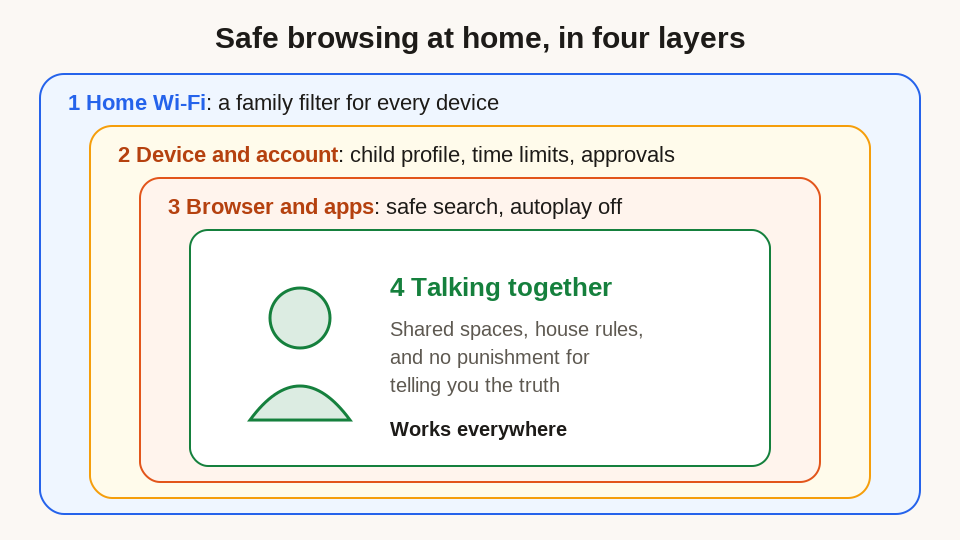
Setting up safe browsing for children at home
A calm, layer-by-layer setup for children's browsing at home, from the Wi-Fi router and phone to the browser and house rules, and what to do if things go wrong.
7 November 2026 · 8 min read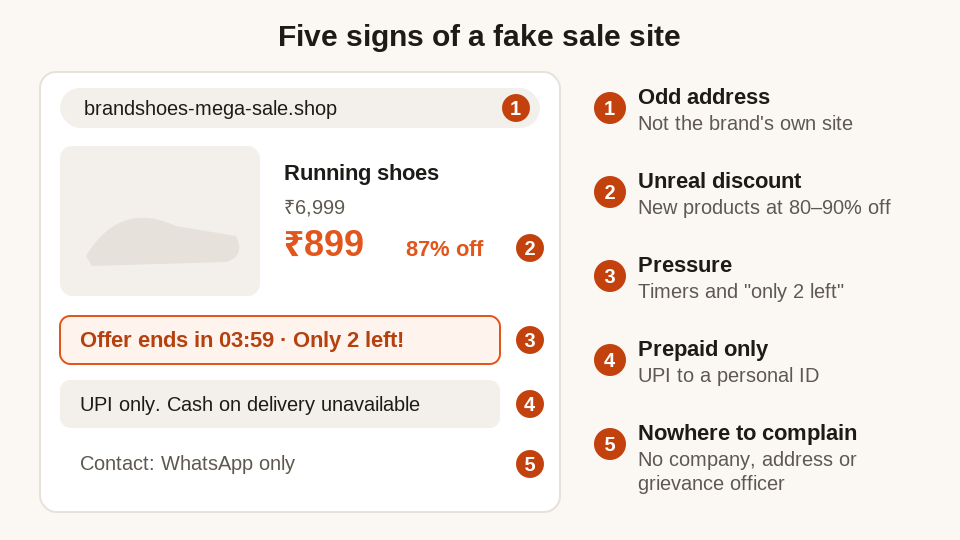
Shopping online safely: fake sale sites, cash on delivery and returns
How to spot a fake sale site, when cash on delivery helps, how real refunds work, and where to complain in India if an online order goes wrong.
6 November 2026 · 9 min read
Train travel online: PNR status, waitlists and booking tips
What your PNR status means, how a waitlist moves, when Tatkal opens and what cancelling costs, with every rule checked on official railway sites.
4 November 2026 · 10 min read