

 Blog
BlogCommon UPI scams and the simple habits that stop them
The QR code, payment request, sent-by-mistake and fake helpline tricks used on UPI, the one rule that defeats most of them, and what to do if money goes.
Lakshmi put her old fridge up for sale on a classifieds site. Within an hour a buyer called, said he was posted far away and would send an advance at once. A QR code arrived on WhatsApp: "Scan this to receive ₹5,000." She scanned, her UPI app asked for her PIN, and ₹5,000 left her account instead.
UPI itself wasn't broken. Every UPI scam works the same way: someone persuades you to do the one thing that sends money out, while making you believe it does something else. Learn that one thing and most tricks stop working on you.
This guide covers the scams people in India meet most often, the habit that stops each one, and exactly what to do in the first hour if money is lost.
The one rule: your PIN is for paying, never for receiving
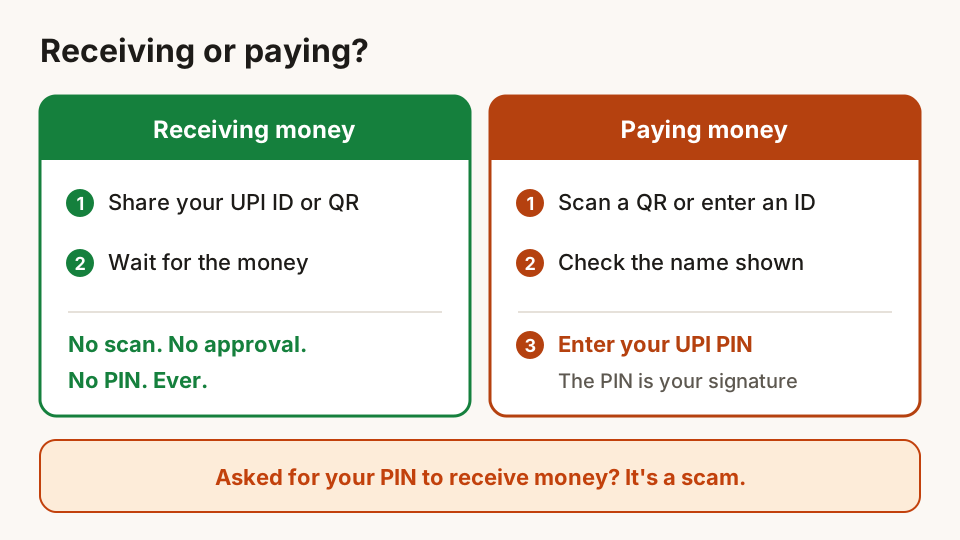
To receive money on UPI, you do nothing. You share your UPI ID, phone number or QR code, and the money arrives. You don't scan anything, approve anything or enter a PIN.
To pay, you scan the other person's QR or enter their ID, check the name, and enter your UPI PIN. The PIN is your signature on a payment. Entering it always means money leaving your account.
The Reserve Bank of India's fraud awareness booklet says the same thing: receiving money never needs a QR scan or a PIN. So if anyone tells you to scan, approve or enter your PIN "to receive", you already know it's a scam, however convincing the rest of the story.
Eight common scams, and the habit that stops each
1. "Scan this QR to receive money"
The story from Lakshmi's sale. It shows up with online sellers, people renting out flats, and anyone expecting a refund. The QR is a payment code, and the amount on it is what you'll pay.
Habit: Never scan a QR someone sends you to receive money. Give them your UPI ID instead and let them pay.
2. Payment requests that look like money coming in
A request pops up in your UPI app with words like "Refund" or "Cashback" and a button to approve. Approving and entering your PIN pays the sender. In July 2025 NPCI, which runs UPI, told banks and apps to stop person-to-person "collect" requests from 1 October 2025, which closed the easiest version of this trick. Businesses can still send payment requests, though, and scammers can pose as one.
Habit: Read every request on screen slowly. If it asks for your PIN, it's a payment. Decline anything you didn't start yourself.
3. "I sent money to you by mistake"
You get an SMS that looks like a bank credit, then a call: "Sorry, I sent ₹2,000 to you by mistake, please return it." There was no credit, only a fake SMS. Sometimes there was a real credit, from stolen money, and returning it pulls you into someone else's fraud.
Habit: Check your balance in your bank or UPI app, never by trusting an SMS or screenshot. If money really did arrive by mistake, tell them to contact their own bank, and talk to yours, rather than sending money to a stranger.
4. Fake customer care numbers
Your payment failed, so you search for the app's helpline and call the first number you see. It's run by scammers who've placed it in search results, ads or review sites. They ask for your PIN, an OTP or for you to install an app.
Habit: Get help only from inside the official app, or from the number on your card, passbook or the bank's official website. Real support staff never ask for your PIN or OTP.
5. "Install this app so I can help you"
A "support agent" or "bank officer" asks you to install a screen-sharing or remote-control app to "fix" something. Once installed, they can see your screen, read your OTPs and sometimes operate your phone. RBI's fraud booklet lists this as a common trick.
Habit: Never install an app because someone on a call asked you to. Hang up and call your bank yourself.
6. Fake payment screenshots at shops
A customer at Imran's medical shop shows a phone screen with a big green tick and "Payment successful", then leaves. The screen came from a fake payment app or an edited screenshot.
Habit: Shopkeepers should confirm every payment on their own soundbox, merchant app or bank app before handing over goods, not on the customer's screen.
7. Calls from "police", "CBI" or "customs"
A caller says a parcel in your name held drugs, or your Aadhaar was used in a crime. Then comes a video call with someone in uniform who says you are under "digital arrest" and must transfer money to clear your name. The government has issued repeated public alerts about exactly this.
Habit: Real officers don't keep you on a video call or ask you to pay money to prove you're innocent. Hang up, tell your family, and report it on 1930.
8. Part-time jobs and "task" earnings
A message offers ₹500 a day for liking videos or rating hotels. The first few tasks really pay small amounts. Then you're asked to deposit money for a "premium task" that will pay back double, and the money never comes back. The Indian Cybercrime Coordination Centre lists part-time job fraud among its public advisories.
Habit: A job that asks you to pay money first isn't a job. Stop at the first request to deposit.
Five settings and habits worth doing today
- Keep your UPI PIN to yourself. Not family members helping you, not the shop, not anyone who calls. Change it in your UPI app if you've ever shared it.
- Lock your phone and the UPI app. Use a screen lock and the app's own lock, so a lost phone isn't an open wallet.
- Check the name before you pay. UPI shows the receiver's registered name before you enter your PIN. If it doesn't match who you expect, stop.
- Use one UPI app you know well. It's easier to notice something unusual in an app you use every day.
- Read SMS alerts from your bank. A debit you don't recognise is your earliest warning. Don't ignore it.
If money has gone: the first hour
Speed matters. Money taken in a scam is usually moved on quickly, and the sooner it's reported, the better the chance a bank can hold it.
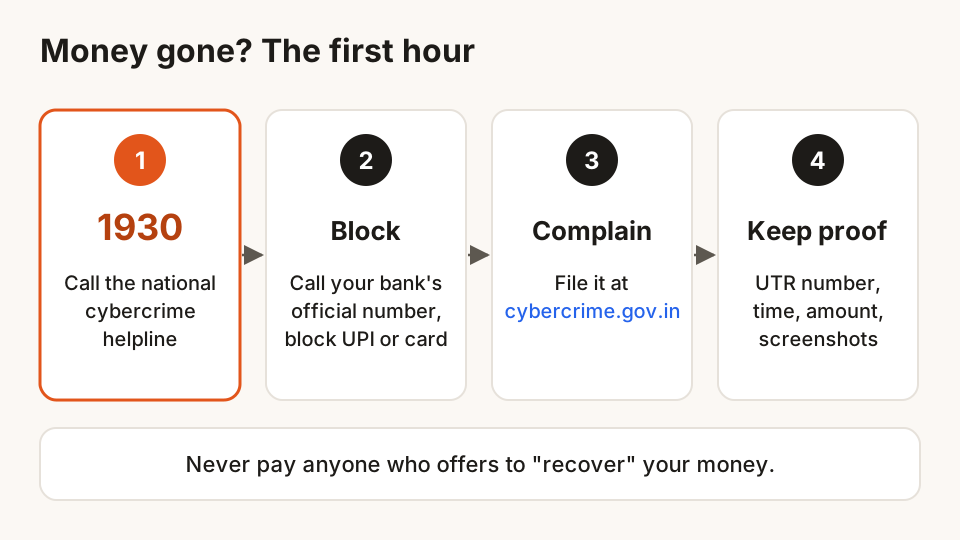
- Call 1930, the national cybercrime helpline, and give the transaction details. It's run with state police and is meant for exactly this.
- Call your bank on its official number, or use the app, to block UPI and your card if needed.
- File a complaint at cybercrime.gov.in if the helpline asks you to complete it there, or if you couldn't get through.
- Keep the evidence. Note the transaction ID (often called the UPI reference or UTR number), the date and time, the amount, and the scammer's number or UPI ID. Save screenshots of the chat and the payment.
- Don't pay anyone who offers to "recover" your money. Recovery agents who contact you after a fraud are often the same scammers, back for more.
Under RBI's rules on unauthorised electronic transactions, how quickly you report affects how much of the loss a bank can ask you to bear. Report the same day if you can, even if you're unsure whether it's fraud.
If a suspicious call, SMS or WhatsApp message didn't lead to a loss, report it on Chakshu on the Sanchar Saathi portal so the number can be checked and blocked. For more on fake links, see how to spot a phishing link before you tap it.
Questions
Do I need to enter my UPI PIN to receive money?
No. Receiving money never needs a PIN, a QR scan or an approval. Anyone who says otherwise is trying to make you pay them.
Is it safe to share my UPI ID?
Yes. Your UPI ID is meant to be shared so people can pay you, like a bank account number. What you must never share is your UPI PIN or any OTP.
Someone sent money to me by mistake. What should I do?
First check your bank or UPI app to see if the money really arrived. If it did, don't send it back to a stranger on request. Ask them to raise it with their own bank, and tell your bank, so the reversal goes through official channels.
What is the UPI fraud helpline number in India?
Call 1930, the national cybercrime helpline, and then file a complaint at cybercrime.gov.in if asked. Also call your bank on its official number to block UPI or your card.
Can money lost in a UPI scam be recovered?
Sometimes, especially when it's reported within hours, because the money can be held before it's withdrawn. There's no guarantee, which is why the habits above, and reporting fast, matter so much.
Sources
- BE(A)WARE: a booklet on the modus operandi of financial fraudsters, Reserve Bank of India
- RBI press release on BE(A)WARE, 7 March 2022
- Limiting liability of customers in unauthorised electronic banking transactions, Reserve Bank of India
- NPCI notification on discontinuing UPI P2P collect requests (NPCI/UPI/OC/220/2025-26), summary by TeamLease RegTech
- National Cybercrime Reporting Portal and helpline 1930, Indian Cybercrime Coordination Centre
- Advisories, Indian Cybercrime Coordination Centre
- Alert against blackmail and "digital arrest" by cyber criminals, Press Information Bureau
- Chakshu: report suspected fraud communication, Sanchar Saathi
Hunt Browser blocks ads and trackers before they load, and has Hunt AI built in. Free for Windows and Mac.
Keep reading
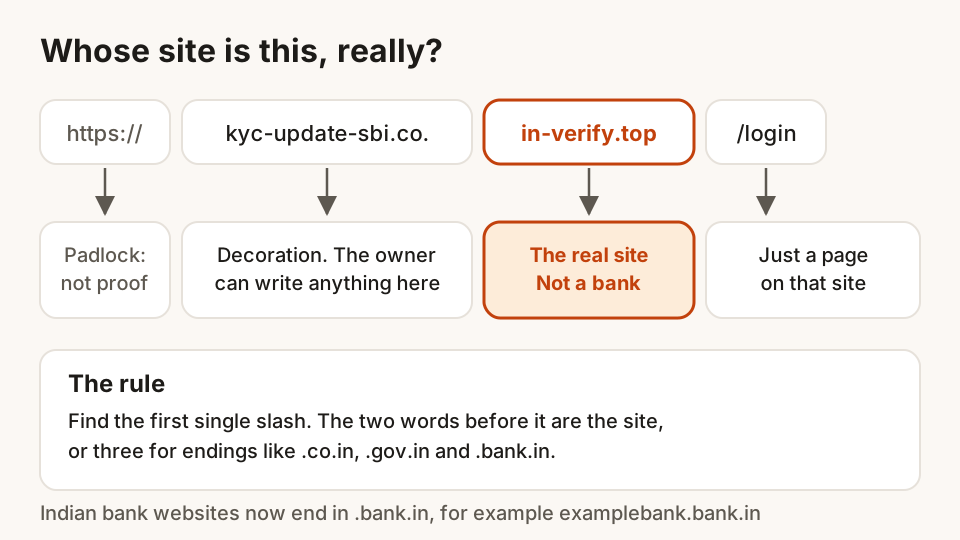
How to spot a phishing link before you tap it
Read a web address the right way, catch lookalike sites and fake KYC or bill messages, and know what to do and where to report if you've already tapped.
24 October 2026 · 9 min read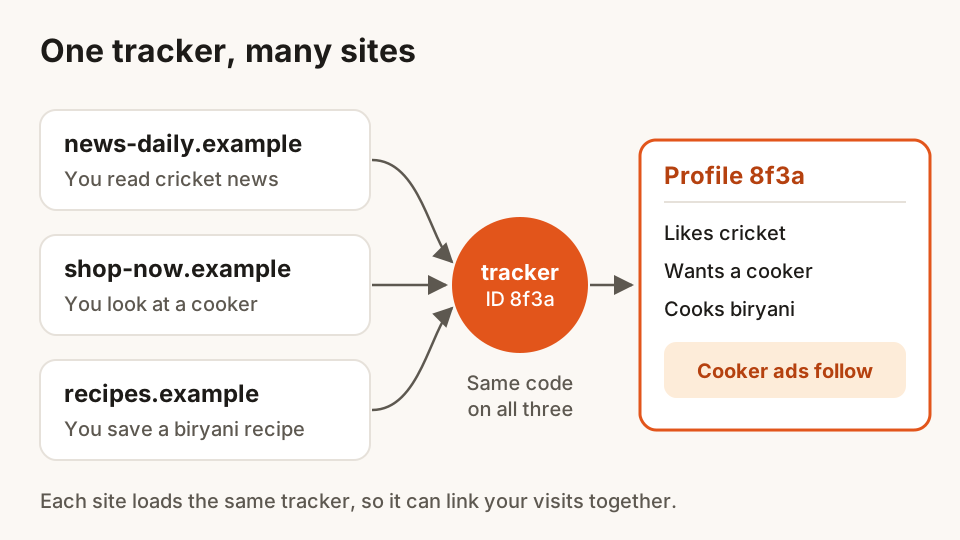
How ad trackers follow you around the web, and how to stop them
Why the cooker you looked at once follows you to every site. Cookies, pixels, fingerprints and tagged links explained, with simple steps that cut tracking.
23 October 2026 · 9 min read